This short blog describes how to enable NetScaler 11’s Content Switching feature to proxy your AD FS infrastructure thus getting rid of a dedicated AD FS Proxy server.

Helping making IT safer for everyone
This short blog describes how to enable NetScaler 11’s Content Switching feature to proxy your AD FS infrastructure thus getting rid of a dedicated AD FS Proxy server.

I had quite some trouble installing and configuring AD FS 3.0 on a Windows Server 2012 R2 with a SQL Server 2005 Standard Edition server to store my Configuration DB in. Therefore I wanted to share that information, hoping it might be useful to others as well.
I came upon this quite frequent issue with my XenDesktop 7.8 Hosted Shared Desktop environment based on Windows Server 2008 R2. Folder Redirection via GPO is in place, whereas Citrix User Profile Management is not used.

In order to make this work, check out the Prerequisites section, and read my other articles about installing and configuring AD FS prior to setting them up with ShareFile and/or NetScaler. This setup requires multiple steps with functional verification tests in between each step in order to minimize sources of error.
Prerequisites:
Detailed HowTo’s for AD FS Installation and Configuration can be found here:
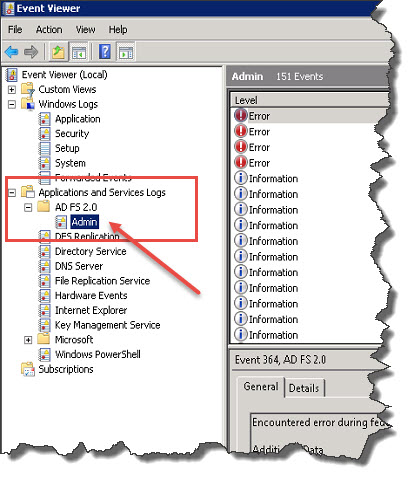
AD FS related errors can be found in the Event Log by expanding the Applications and Services Logs node, and navigating to AD FS 2.0 \ Admin (for Windows Server 2008 and 2008 R2):
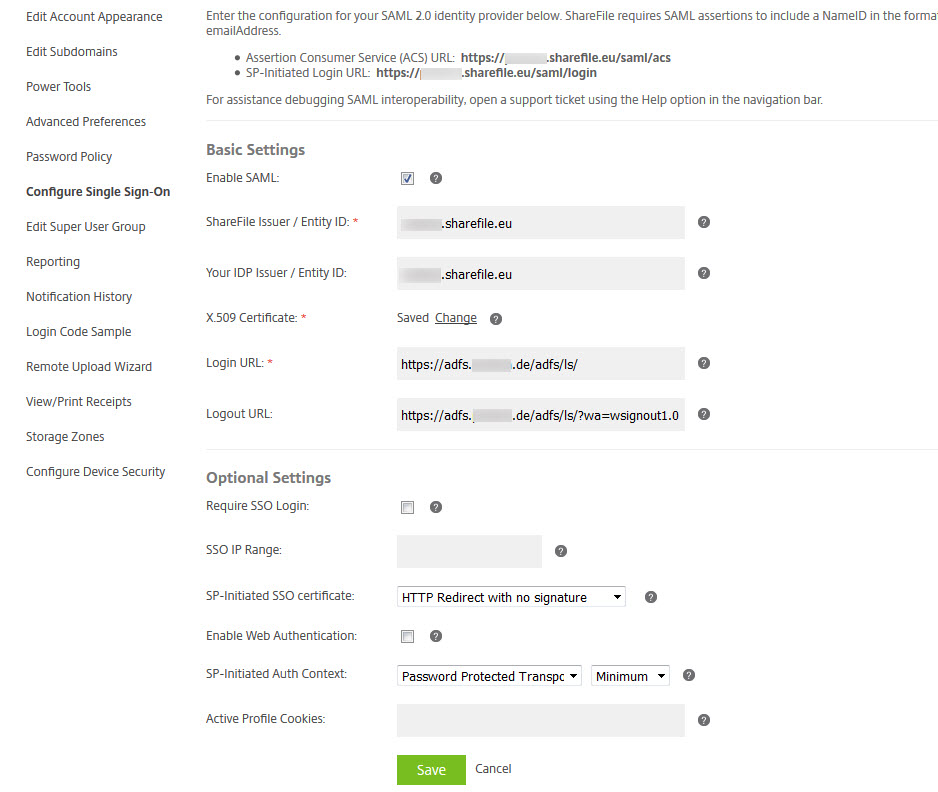
My working ShareFile Single sign-on / SAML 2.0 Configuration with AD FS 2.0 looks like this:
Testing your setup:
Lessons learned during my configuration
Error Signin ADFS:
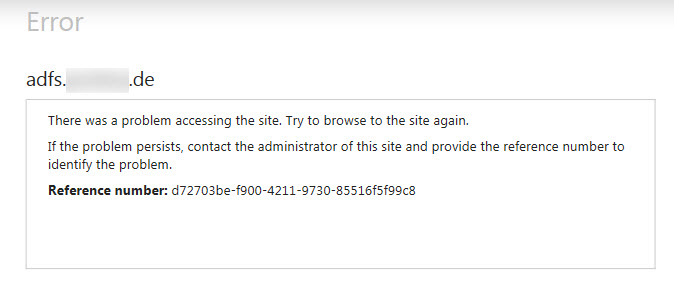
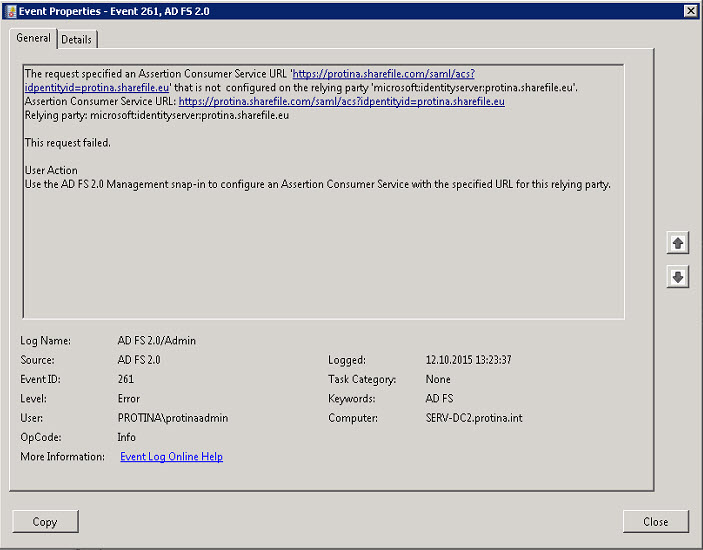
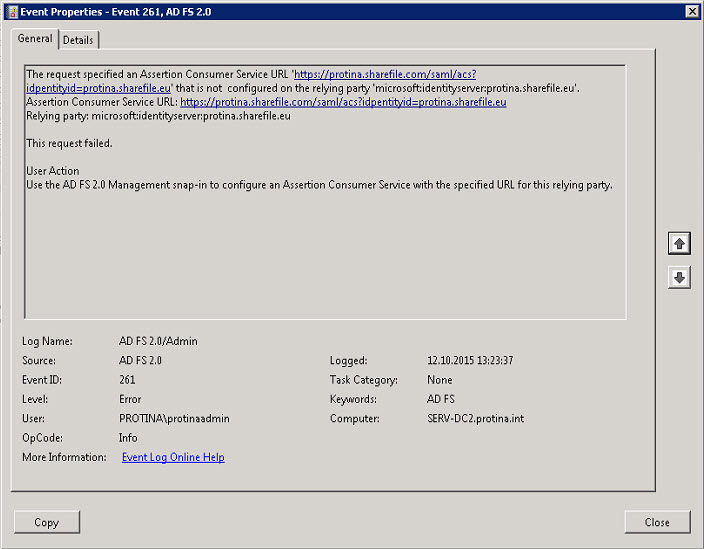
Add corresponding ShareFile Subdomain URLs to Relying Party Trusts configuration (in my case I had to add both sharefile.com and sharefile.eu TLDs):
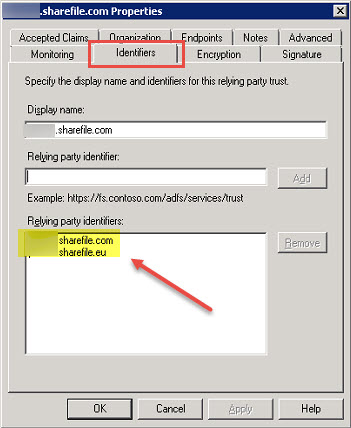
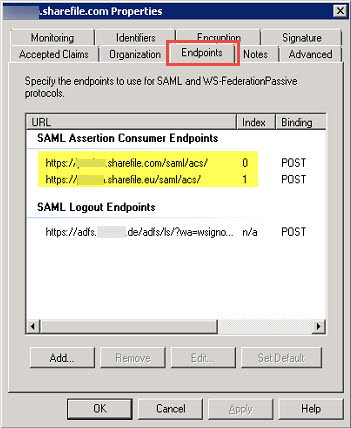
Error Signin ADFS:
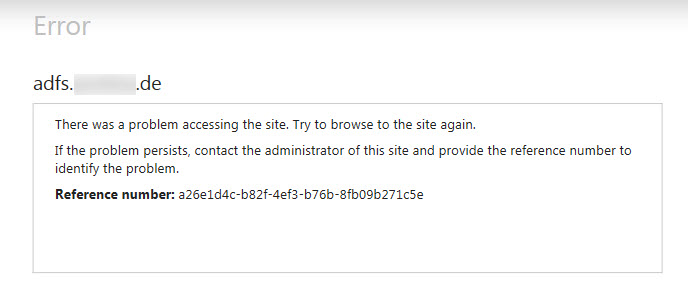
Event Log Error, Event ID 364, Source: AD FS 2.0, Error Number: MSIS7000
Have a look at TechNet – Troubleshooting Fedpassive request failures with AD FS 2.0
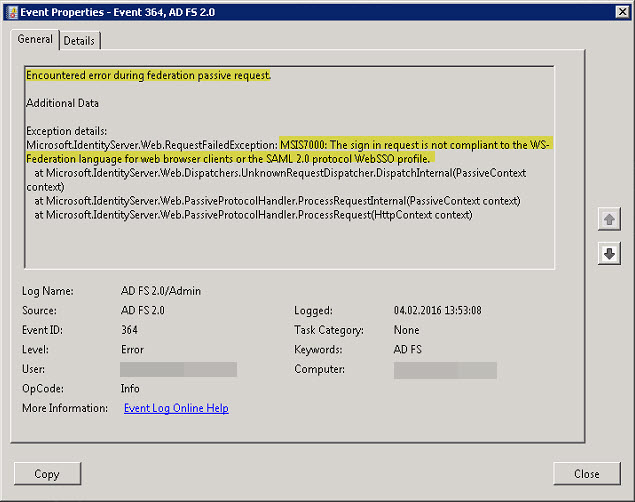
Encountered error during federation passive request.
Additional Data
Exception details:
Microsoft.IdentityServer.Web.RequestFailedException: MSIS7000: The sign in request is not compliant to the WS-Federation language for web browser clients or the SAML 2.0 protocol WebSSO profile.
at Microsoft.IdentityServer.Web.Dispatchers.UnknownRequestDispatcher.DispatchInternal(PassiveContext context)
at Microsoft.IdentityServer.Web.PassiveProtocolHandler.ProcessRequestInternal(PassiveContext context)
at Microsoft.IdentityServer.Web.PassiveProtocolHandler.ProcessRequest(HttpContext context)
I found something interesting at Windows Identity Foundation 101’s : WS-Federation Passive Requestor Profile (part 1 of 2), when searching for MSIS7000:
ADFS v2 does not support WS-Federation POST sign-in, only GET.
HTTP Error 401. The requested resource requires user authentication
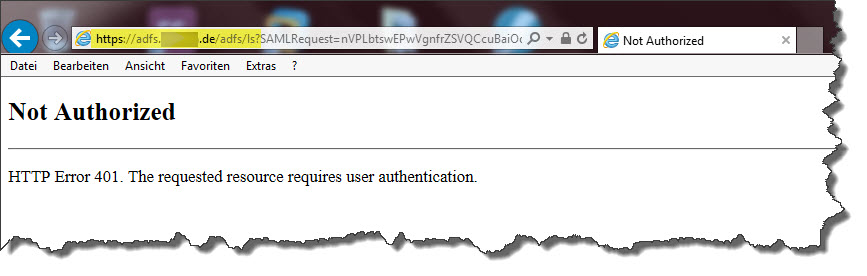

It turned out I had to start the AD FS service with proper credentials. As I had issues with launching the service, I switched it to LOCAL SYSTEM, which in return caused this particular issue. So, first I had to remedy the issue of failed service start by configuring the SPN for the service account, and providing internet access to my AD FS server in order to enable querying if CRL through .NET. Then I adjusted the corresponding Application Pool in IIS on my AD FS server in order to reflect the AD FS service’s account. In the end I was able to start the service properly. Afterwards SAML SSO from internal networks worked as well.
Have a look at:
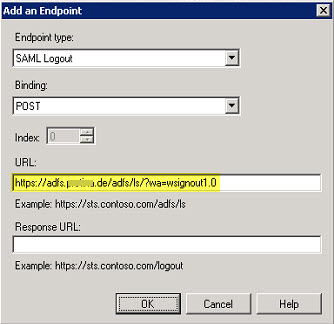
Error Signout ADFS:
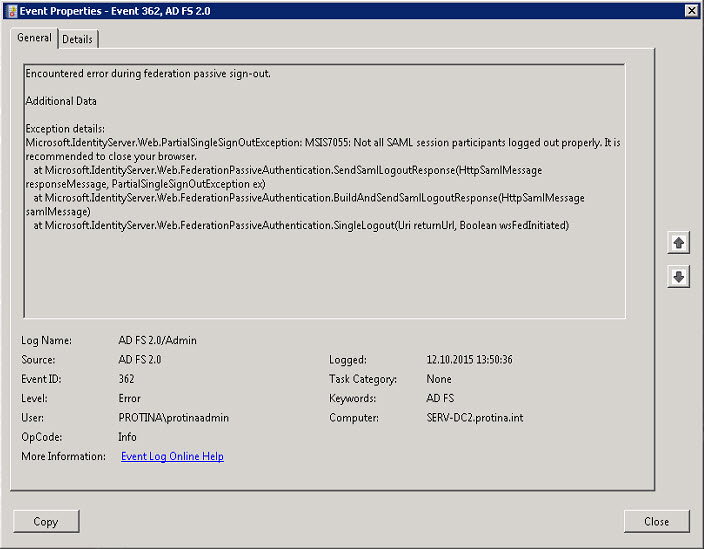
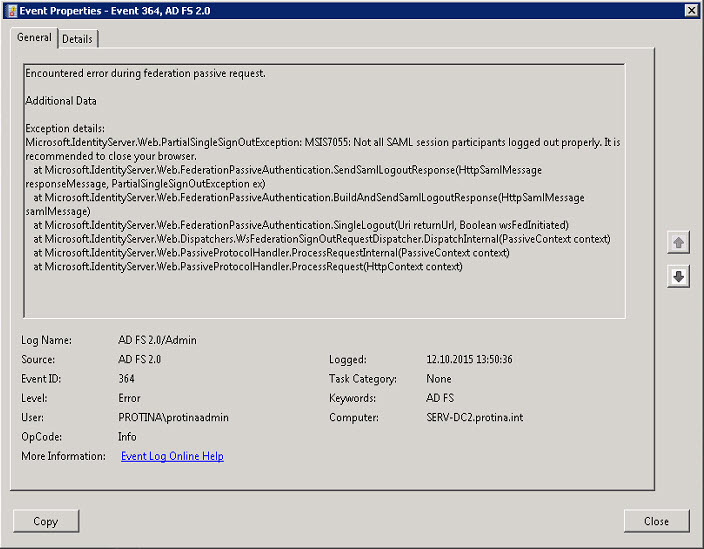
Add Logout URL to Relying Party Trusts configuration:

Now as we have successfully configured a working SSO environment using ShareFile and AD FS, we can go the extra mile and add NetScaler to the equation, of course as a means of security enhancement. As you should never ever expose an ADFS server to the internet, you could use NetScaler as a Proxy. Read more about in my blog article https://blog.ollischer.com/citrix-netscaler-v11-how-to-setup-your-netscaler-as-an-ad-fs-proxy.
Errors:
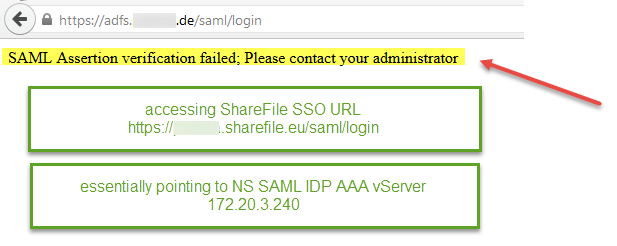
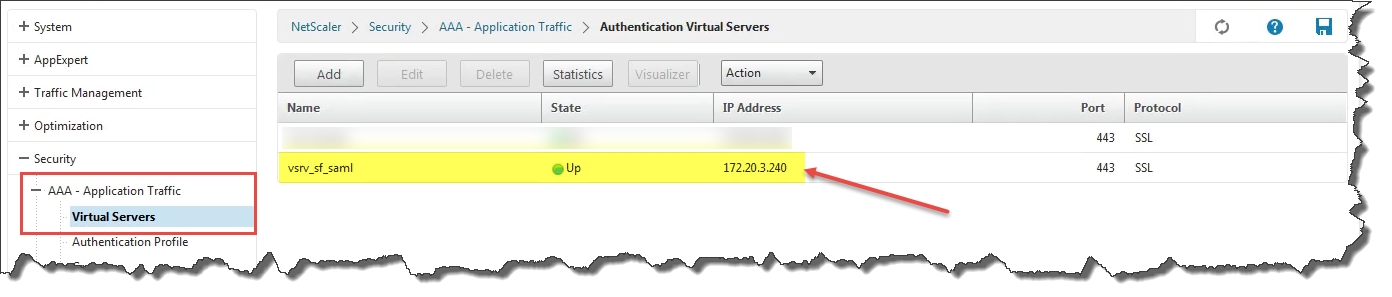
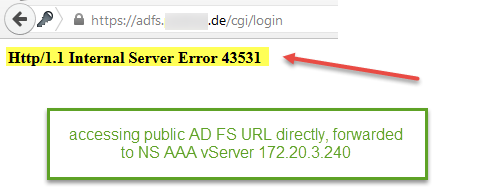
Run one of the following commands from the shell prompt of the NS to view the real time hits on the (as per CTX138840)
nsconmsg –d current –g pol_hits
nsconmsg –d current | egrep –i rewrite
nsconmsg –d current | egrep –i responder
In order to troubleshoot authentication with Aaad.debug (as per CTX114999) run the following command from the shell prompt of the NS:
- cd /tmp
- cat aaad.debug
Another Event ID 364 error message:
After checkings the AD FS 2.0 service I discovered that it was not running. When trying to start the service it did not start and subsequent Events 7000 and 70009 were logged in Event Log Viewer. It turned out that the server hosting AD FS 2.0 need internet access or you need to disable generatePublisherEvidence for .NET 3.5. See:
Service Control Manager (SCM) is timing out the service start before it is complete. This is usually due to lack of internet connectivity from the AD FS 2.0 Federation Server or AD FS 2.0 Federation Server Proxy. At service start, when generatePublisherEvidence is enabled for .NET 3.5, the server will attempt to connect to crl.microsoft.com over TCP port 80. AD FS 2.0 does not rely on a positive or negative response from generatePublisherEvidence, and the default value can cause Service Control Manager to time out while waiting on the TCP/80 connection to fail to connect to crl.microsoft.com.
Further reading:

Exchange 2016 – Poor Outlook 2016 Performance – Troubleshooting – Server-side or Client-Side?
Just recently I came across a newly installed Exchange 2016 environment and had to analyze a “poor performance issue”. I started my investigation by asking … Google! Of course, everybody does it, but is not willing to commit it. This left me with the idea of creating another blog article on this matter. On the bottom of my blog article you’ll find all relevant URLs which gave me (more or less) useful information during my time debugging the problem. As it turned out, there are multiple aspects to consider.

Citrix Receiver – How to speed up App Enumeration and Start Menu Population
Important: settings in HKCU have preference over HKLM.

When trying to execute the MDX Toolkit v10.x in a Mac OS X Virtual Machine you might be left with empty dialogue boxes:
This is due to the MDX Toolkit not running in a virtualized Mac OS X environment, thus having to revert to Command Line Wrapping.

As I’m always thankful for any tool that might come in handy during troubleshooting sessions I thought that this might be interesting for you NetScaler/XenMobile guys as well. Just recently I stumbled upon this neat little article: CTX141060 – Citrix Cerebro – XenMobile Troubleshooting Tool and the tool it provides: Citrix Cerebro (what kind of name is that actually?):
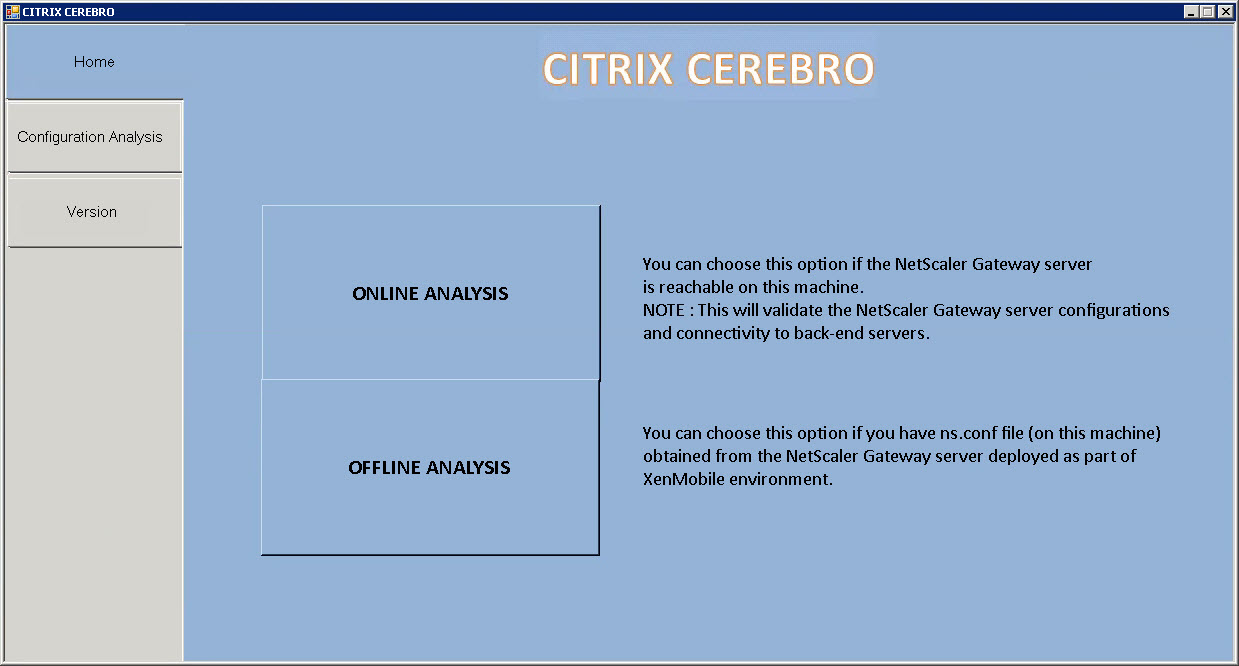
This quite comprehensive article explains the tool’s core functionality pretty well, so there’s not much to add right now. Therefore I simply share my experience here while using this tool in order to troubleshoot some XenMobile issues I had just recently: Access to your company network is not currently available while setting up WorxMail.

Starting with Citrix XenDesktop 7.x there have been some features that have been deprecated by Citrix, such as LPT and COM Port Mapping, which are not working as expected or properly after upgrading to VDA 7.x. I stumbled upon this quite annoying issue as soon as I upgraded my existing Citrix XenApp servers to the latest XenDesktop 7.x, i.e. Hosted Shared Desktops with Virtual Desktop Agents v7.x.
During implementing quite some XenMobile 10.x solutions in the last couple of months I came across some issues that caused quite some headaches. Therefore I’d like to document and share my lessons learned in this new blog.
As all my implementations were with existing NetScaler 10.x configurations already in place, I was not able to follow all those XenMobile 10.x installation and configuration guides out there by the book. All of those blogs and guides have one thing in common: they assume your start from scratch with both XenMobile 10.x and NetScaler 10.x and thus miss the point in merging XenMobile 10.x requirements with NetScaler 10.x, i.e. adding all those nasty MDM/MAM LB VIPs, DNS records, firewall rules, certificates, Session Policies and Profiles, et al.
I’m trying to shed some light on how to add a new XenMobile 10.x installation to an already existing NetScaler Gateway configuration.