Skip to content

Cyber Security Practitioner

Helping making IT safer for everyone

  • Home
  • Citrix
  • Microsoft
  • About Alexander Ollischer
  • Impressum
  • Cookie Policy (EU)

Microsoft ADFS Managed Service Account

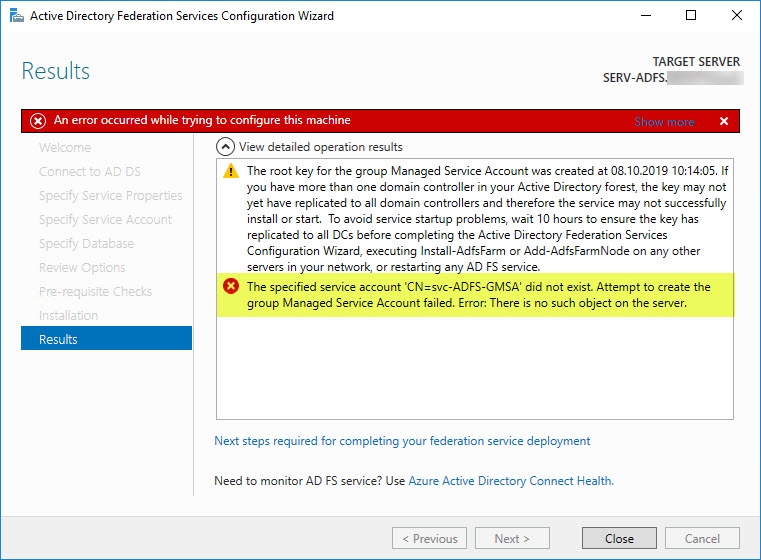
Windows Server 2016 ADFS v4.0 – The specified service account ‘CN=svc-ADFS-gMSA’ did not exist. Attempt to create the group Managed Service Account failed. Error: There is no such object on the server.
Windows Server 2016 ADFS v4.0 – The specified service account ‘CN=svc-ADFS-gMSA’ did not exist. Attempt to create the group Managed Service Account failed. Error: There is no such object on the server.

October 8, 2019October 8, 2019Alexander

While running the Active Directory Federation Services Configuration Wizard for the first time on a newly installed Windows Server 2016, I ran into the following error after deciding to create the first federation server in a federation server farm, and creating a Group Managed Service Account (gMSA) as Service Account for my ADFS implementation:

The specified service account ‘CN=svc-ADFS-gMSA’ did not exist. Attempt to create the group Managed Service Account failed. Error: There is no such object on the server.

During troubleshooting it turned out that the underlying issue actually lay far deeper than expected…

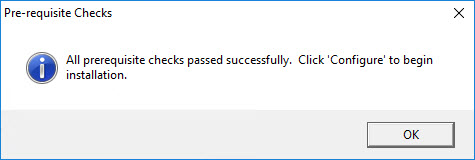
At first all prerequisites checks passed successfully:
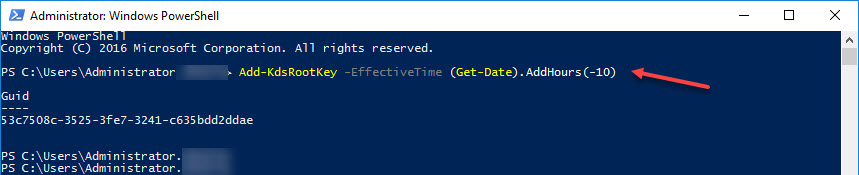
Prior to running the Configuration Wizard I succesfully created the Key Distribution Services KDS Root Key for the gMSA by executing:

Add-KdsRootKey -EffectiveTime (Get-Date).AddHours(-10)
What did I miss? Well, silly me, I simply did not provision the gMSA prior to running the Configuration Wizard, though the Configuration Wizard states, that it will create a gMSA if it does not already exist:
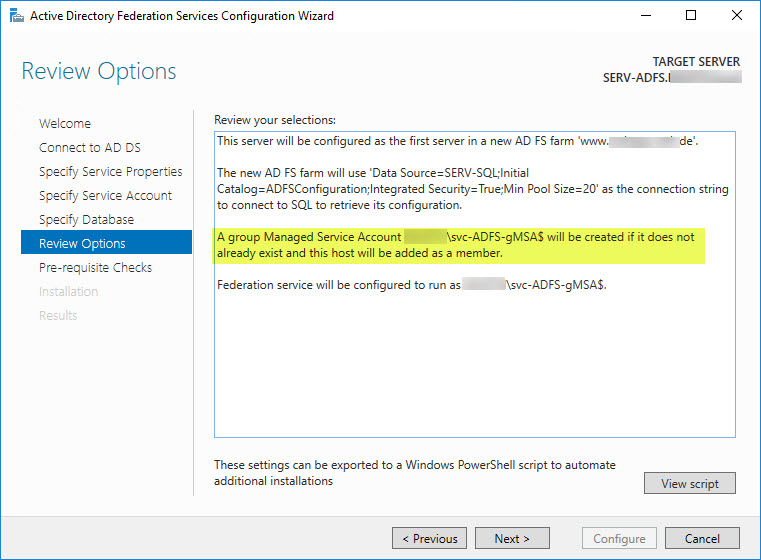
So, how do I successfully create a corresponding gMSA in order to make it work with AD FS?

You can provision a gMSA using the New-ADServiceAccount cmdlet, where domain.com ist the your own TLD:

New-ADServiceAccount -Name svc-ADFS-gMSA -DNSHostName sts.domain.com -KerberosEncryptionType RC4, AES128, AES256 -PrincipalsAllowedToRetrieveManagedPassword serv-adfs$ -ServicePrincipalNames http/sts.domain.com/domain.com, http/sts.domain.com/domain, http/sts/domaim.com, http/sts/domain -Path "CN=Users,DC=DOMAIN,DC=local"

Verify whether the gMSA has been successfully provisioned in the corresponding OU provided with the -Path parameter:
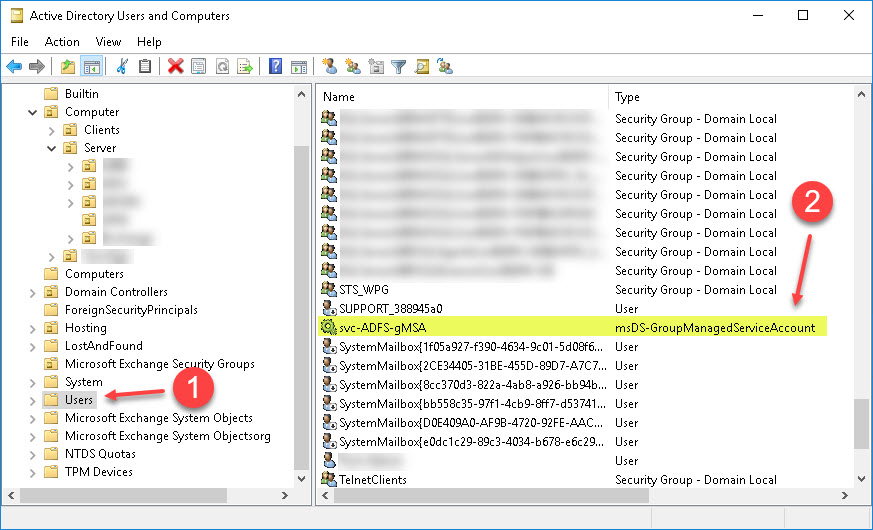
Verify whether all required Service Principal Names (SPN) have been registered and associated with the newly provisioned gMSA by executing the following command:

setspn /l svc-ADFS-gMSA

After running the Configuration Wizard again it still fails with an error stating:

The system cannot find the file specified
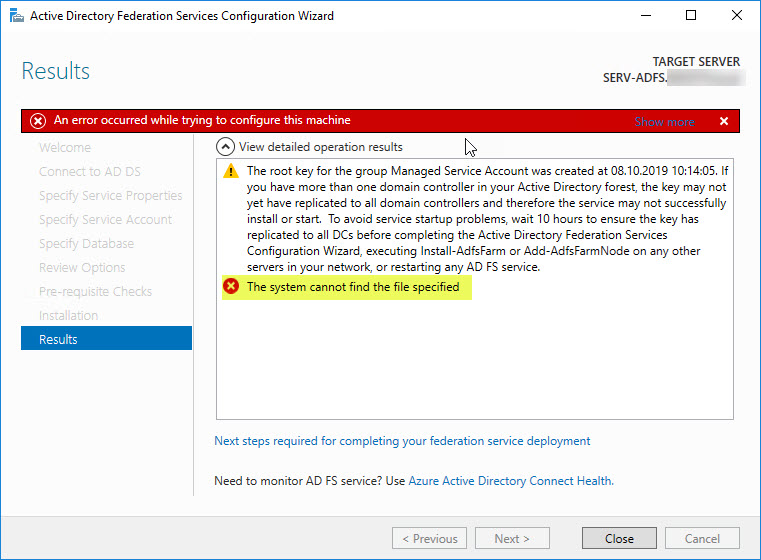
Doing a Little Research resulted in “the GMSA was moved from the Managed Service Accounts container in Active Directory” and “make sure you have a Managed service account group object in ADUC. (not an OU)”. Checking my Active Directory I realized that the required container Managed Service Accounts is actually missing! And I was unable to identify the reason why it was missing in the first place. Looking into my Deleted Objects container came up … empty.

So, how do I successfully re-create a corresponding Managed Service Accounts container in order to make it work with AD FS?

Further researching revealed I had to re-create a corresponding container with ADSIEdit named “Managed Service Accounts” and ensure ist security properties are correctly set to “Enable Inheritance”.
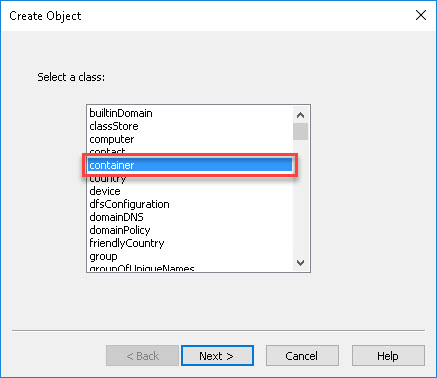
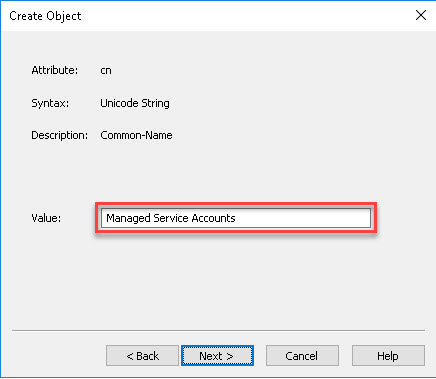
Then I deleted my previously provisioned gMSA:
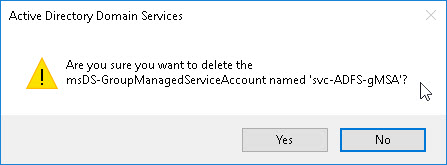
After that I ran the AD FS Configuration Wizard again and it was completed successfully:

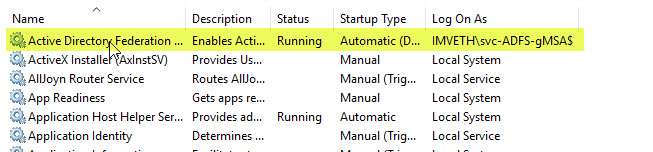
Checking the AD FS Service as well as the corresponding Event Log showed that all went well:
Further reading:

  • Microsoft – AD FS Requirements
  • Microsoft – Create the Key Distribution Services KDS Root Key
  • Microsoft – Getting Started with Group Managed Service Accounts
  • 250 Hello – How To Install AD FS 2016 For Office 365
  • TechNet – AD FS (3.0) for Windows Server 2012 R2 Troubleshooting: Configuration with GMSA fails with ‘The system cannot find the file specified’ and other errors
  • Microsoft Forums Thread – 2012 R2/ADFS with Group Managed Service Account

ADFS, Microsoft ADFS, gMSA, Managed Service Accounts, Microsoft ADFS Managed Service Account Leave a comment

Recent Posts

  • Resolving Kerberos Authentication Issues with Entra ID Application Proxy and IIS Applications
  • Microsoft Teams (Desktop App) Error Code CAAD0009
  • Microsoft ADFS 3.0 – Event ID 364 – No strong authentication method found for the request from
  • Microsoft Exchange 2016 – 454 4.7.5 The certificate specified in TlsCertificateName of the SendConnector could not be found
  • Citrix XenDeskop 7.x – Printer auto-creation failure. Reason: AddPrinter() failed with status 0x7A

Tags

Activation ADFS AppController Certificate Citrix Director Excel Exchange gMSA HTML5 IIS KMS Licensing Mac Managed Service Accounts MDX Microsoft Microsoft ADFS Managed Service Account Migration NetScaler Office Outlook PowerShell Printing Proxy RDS Receiver SAML SDHolder Security Server ShareFile SSO StorageZone Controller StoreFront Toolkit VAMT Windows Word Worx WorxApps XenApp XenDes XenDesktop XenMobile

Categories

Copyright Notice

© Alexander Ollischer and blog.ollischer.com, 2022. Unauthorized use and/or duplication of this material without express and written permission from this site’s author and/or owner is strictly prohibited. Excerpts and links may be used, provided that full and clear credit is given to Alexander Ollischer and https://blog.ollischer.com with appropriate and specific direction to the original content.

Copyright © 2026 Cyber Security Practitioner. All rights reserved. Theme: Radiate by ThemeGrill. Powered by WordPress.
Manage Cookie Consent
To provide the best experiences, we use technologies like cookies to store and/or access device information. Consenting to these technologies will allow us to process data such as browsing behavior or unique IDs on this site. Not consenting or withdrawing consent, may adversely affect certain features and functions.
Functional Always active
The technical storage or access is strictly necessary for the legitimate purpose of enabling the use of a specific service explicitly requested by the subscriber or user, or for the sole purpose of carrying out the transmission of a communication over an electronic communications network.
Preferences
The technical storage or access is necessary for the legitimate purpose of storing preferences that are not requested by the subscriber or user.
Statistics
The technical storage or access that is used exclusively for statistical purposes. The technical storage or access that is used exclusively for anonymous statistical purposes. Without a subpoena, voluntary compliance on the part of your Internet Service Provider, or additional records from a third party, information stored or retrieved for this purpose alone cannot usually be used to identify you.
Marketing
The technical storage or access is required to create user profiles to send advertising, or to track the user on a website or across several websites for similar marketing purposes.
  • Manage options
  • Manage services
  • Manage {vendor_count} vendors
  • Read more about these purposes
View preferences
  • {title}
  • {title}
  • {title}
Verified by ExactMetrics